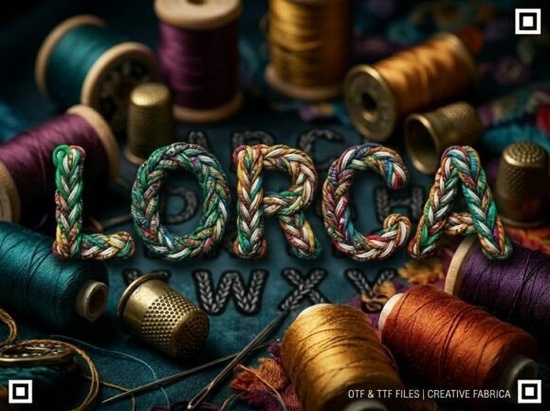
If you are looking for a typeface that commands attention without needing extra decoration, the Lorca Font is a strong candidate. This decorative display font is built to be the center of attention in your design projects. It features unique artistic elements and a strong visual personality, making it suitable for creators who want to break away from ordinary typography. However, before you download it, you need to understand its specific structure. This is an all-caps typeface, meaning it does not include lowercase letters. It is specifically engineered for high-impact headlines, logos, and decorative initials where every letter acts as a piece of art.
What kind of projects work best with this font?
Because of its bold nature, this typeface shines in situations where readability at a distance is key. It is versatile enough for bold headlines, artistic logos, and creative packaging while maintaining a professional and polished finish. If you run a print-on-demand business, this font works well on t-shirts, mugs, and posters where short, punchy text is required. It is not designed for long paragraphs or body text. Using it for large blocks of text would reduce readability and frustrate your audience. Instead, reserve it for titles, brand names, or short slogans that need to stand out immediately.
Designers often look for fonts that convey a specific mood. This option suggests strength and creativity. It pairs well with simpler sans-serif fonts for body copy. When you combine a complex display font with a clean reading font, you create a hierarchy that guides the viewer's eye. This balance is crucial for professional-looking marketing materials and product labels.
Why is the all-caps design important?
The most critical detail to note is the uppercase-only structure. This font is an ALL-CAPS display typeface. It does not include lowercase letters. Some buyers overlook this detail and become frustrated after purchase. Understanding this limitation helps you plan your designs correctly. All-caps fonts often convey authority and stability. They are excellent for acronyms, monograms, and established brand names.
If you need a typeface that supports sentence case for longer descriptions, you will need to pair this with a different file. Many designers keep a library of complementary fonts. For example, you might explore similar decorative styles if you want to compare different visual weights. Having options allows you to switch things up depending on the client's needs or the platform you are designing for. Always check the character map before starting a major project to ensure you have all the glyphs and symbols you require.
How does it fit with other display styles?
Display fonts come in many varieties, from rustic to modern. This specific design leans towards a unique artistic element that separates it from standard geometric fonts. If you are browsing for alternatives or companions, you might look at other bold options that offer different curvature. Some projects require a sharper edge, while others need something softer.
Comparing different typefaces helps you understand what works best for your specific niche. For instance, vintage-inspired designs might require a different texture than what Lorca offers. If you are working on tech-related branding, you might prefer more structural variations. For feminine or lifestyle brands, softer decorative choices could be more appropriate. Understanding these distinctions ensures you select the right tool for the job rather than forcing a font to work where it does not belong.
What technical files do you receive?
When you acquire this product, you will get standard file formats compatible with most design software. The package includes:
- OTF file (OpenType Font): This is the professional standard for advanced design and layout software like Adobe Illustrator or InDesign. It supports advanced typographic features.
- TTF file (TrueType Font): This is a standard file for universal compatibility across all devices and older software programs.
Having both formats ensures you can work on any computer, whether you are using a Mac or a PC. Installation is straightforward. On Windows, you usually right-click the file and select install. On Mac, you can use the Font Book application. Once installed, the font will appear in your text editor's font list under its specific name. Remember to check the license agreement for commercial use rights, especially if you plan to sell products featuring this typography.
Practical Checklist Before You Start
To ensure you get the best results with this typeface, follow these steps before finalizing your design:
- Verify the case: Confirm you do not need lowercase letters for your specific text.
- Check kerning: Display fonts often need manual spacing adjustments between letters to look balanced.
- Test readability: View your design at 100% zoom to ensure the artistic elements do not hinder legibility.
- Pair wisely: Select a simple secondary font for body text to create contrast.
- Review the license: Ensure your intended use case is covered under the commercial license provided.
Taking these small steps prevents common errors and ensures your final output looks polished. Whether you are creating a logo for a local business or designing packaging for a new product line, choosing the right typography is half the battle. By understanding the strengths and limitations of this all-caps display font, you can use it effectively to create memorable visual identities.
Learn More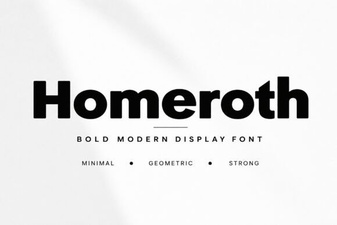 Design Creative Projects with Homeroth Font
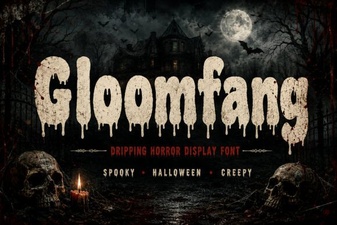 Gloomfang: Design with Gothic Horror Typography
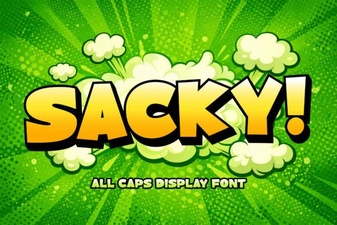 Sacky Font: a Playful Tool for Creative Design
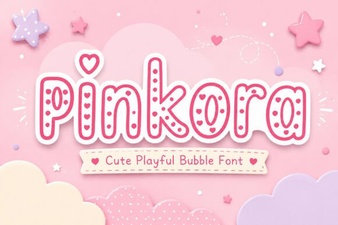 Pinkora Font: Creative Typeface Projects & Design Tips
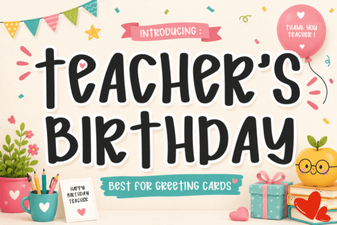 Creative Fonts for Teacher Birthday Projects
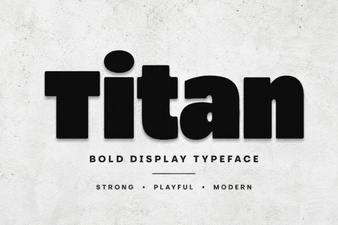 Elevate Your Designs with the Titan Font