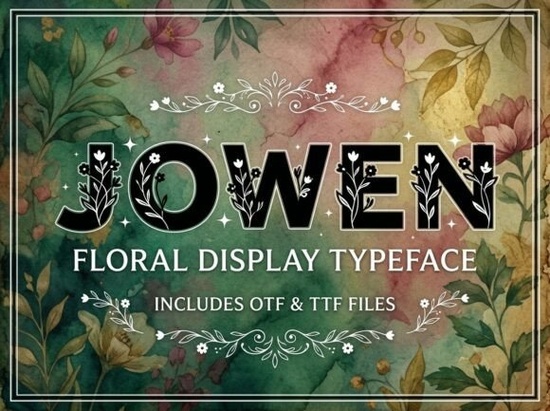
Finding a display typeface that grabs attention without looking messy is a common challenge for designers and small business owners. You want something bold enough for a logo but polished enough for packaging. The Jowen Font fits this need by offering a strong visual personality designed to be the center of attention. It is an all-caps decorative font, meaning every letter is crafted to stand out on its own. This makes it a solid choice for projects where you need immediate impact, such as headlines or brand marks.
When selecting a typeface for commercial projects, understanding the file types and limitations is crucial. This font comes with both OTF and TTF files, ensuring compatibility with most design software and devices. However, there is one key detail to remember before you start designing: this is an uppercase-only typeface. It does not include lowercase letters. This restriction is intentional, as it ensures consistency in height and style for high-impact text. If you need a font for body text or long paragraphs, you will need to pair it with a simpler sans-serif or serif font.
Is this font suitable for logo design?
Yes, this typeface works well for logos, especially for brands that want to convey creativity and strength. The artistic elements in the letters mean you often do not need to add extra graphics to make the logo pop. It is versatile enough for creative packaging labels where space is limited but style is essential. Because the letters are unique, they help your brand break away from ordinary templates. Many creators use similar styles for craft business logos on platforms like Etsy or for print-on-demand products.
If you are exploring different vibes for your brand, you might compare this to other options. For a softer, more playful look, you could look at the Cute Berry Font. Alternatively, if you need something more structured, the Convera Font offers a different approach to display typography. We have also documented various styles in our display font collection for further reference.
What files do you receive after purchase?
When you download this product, you will receive standard font files that work across Windows and Mac systems. The package includes:
- OTF file (OpenType Font): Best for advanced design software like Adobe Illustrator or InDesign.
- TTF file (TrueType Font): Provides universal compatibility for word processors and web use.
Having both formats ensures you can install the font on your computer and use it in various applications without compatibility errors. This is important for small businesses that might switch between different tools for creating social media graphics, product labels, or website headers.
How does it compare to other display fonts?
Display fonts vary widely in texture and mood. While this font focuses on artistic, bold letters, others might focus on retro or geometric styles. For example, the Stratos Font might offer a more futuristic feel, while the Groovy Star Font leans into a vintage aesthetic. Choosing the right one depends on your brand identity. You can review more comparisons in our typography resources to see how different weights and styles affect readability.
It is also worth noting that because this is a decorative font, kerning (the space between letters) might need manual adjustment. Some artistic letters have unique shapes that look better when spaced slightly apart or closer together than the default setting. Taking time to adjust this in your design software will give your headlines a more professional and polished finish.
Quick Checklist Before You Design
To ensure you get the best results with this typeface, keep these practical tips in mind:
- Check Case Sensitivity: Remember this font is all-caps. Do not expect lowercase letters to appear.
- Pair Wisely: Combine this bold display font with a simple, readable font for body text.
- Adjust Kerning: Manually tweak the space between letters for logos to ensure balance.
- Test Readability: Ensure the text is legible at smaller sizes before printing on packaging.
- Review License: Always check the license terms for commercial use on print-on-demand platforms.
By understanding the strengths and limitations of the typeface, you can use it effectively to create standout designs. Whether you are making a logo for a new shop or a headline for a website, choosing the right tool makes the process smoother. For more inspiration on pairing styles, visit our design tips page.
Explore Design Design Creative Projects with Homeroth Font
 Gloomfang: Design with Gothic Horror Typography
 Lorca Font: Creative Projects & Modern Designs
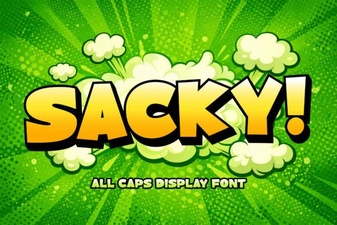 Sacky Font: a Playful Tool for Creative Design
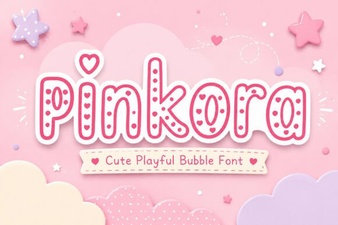 Pinkora Font: Creative Typeface Projects & Design Tips
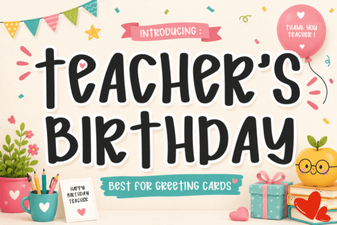 Creative Fonts for Teacher Birthday Projects