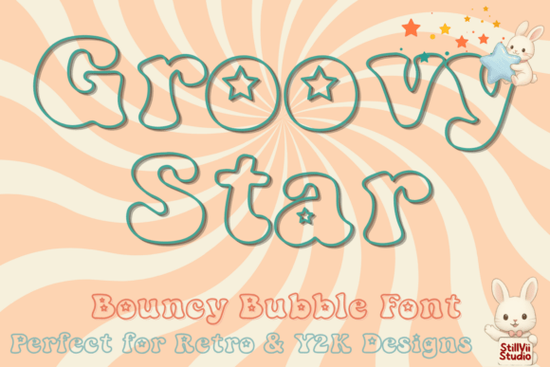
If you have been scrolling through design libraries looking for something playful yet nostalgic, you might want to consider the Groovy Star Font. This typeface brings a distinct energy that fits perfectly with the current trend of retro aesthetics mixed with modern usability. Designed with a bubbly shape and hollow centers filled with tiny stars, it stands out from standard block lettering. It works exceptionally well for branding projects that need to feel friendly and approachable without losing character. Instead of settling for generic options, adding this specific piece to your toolkit can instantly elevate the personality of your work.
Why Choose Outline Typography for Projects?
Outline fonts offer a versatility that solid lettering simply cannot match. Because the characters are hollow, you have the freedom to fill them with textures, colors, or even images. Imagine printing a shirt where the letters are filled with a floral pattern or a gradient that shifts from pink to blue. This level of customization is particularly useful for children's educational materials. The open spaces invite creativity, making them ideal for coloring books where kids can pick their own hues. The Groovy Star font capitalizes on this by embedding a small star shape into the center of each letter, adding a subtle detail that catches the eye even before color is applied.
Furthermore, these fonts read well at various sizes. While some decorative scripts become illegible when scaled down, bold outline letters maintain their structure. This makes them suitable for everything from large wall decals to small packaging stickers. The visual weight is heavy enough to stand alone against a background image, yet simple enough to sit comfortably next to other graphic elements. It is a balanced design choice for anyone who wants their text to be the focal point without overwhelming the viewer.
Ideas for Printing and Merchandise
When thinking about physical goods, this font opens up several avenues for print-on-demand shops. Sellers often struggle to find typefaces that appeal to both teens and adults looking for vintage vibes. A good display font bridges that gap. You could create a series of tote bags featuring different phrases, where the word itself is colored in a tie-dye style. Alternatively, use it for greeting cards that celebrate milestones. If you are selling party supplies, this font can add a festive touch to invitations or cupcake toppers.
For classroom resources, these letters are particularly handy. Teachers often need custom worksheets that engage students visually rather than just presenting text. Using a font with unique details like interior cutouts can make a standard math practice sheet feel like a special event. You can combine it with clipart of planets or galaxies to create a space-themed lesson plan. It transforms ordinary learning tasks into something more exciting. Even simple birthday signs benefit from the bouncy curves, as the shapes feel energetic and celebratory right away.
Finding Similar Vibes in Your Library
Sometimes you may need a variation depending on your specific project needs. If your brand leans more towards soft pastels than cosmic themes, exploring other options can help. There are plenty of other bubbly styles available on platforms like Creative Fabrica. For instance, browsing the Pinkora font collection might reveal something with a softer edge but a similar rounded structure. Conversely, if you prefer something punchy and colorful, checking out cute berry style fonts could offer a vibrant contrast that still maintains that fun factor.
Creativity often involves mixing styles. You might pair the outlines of this font with solid text from another source to create emphasis. Looking at the Lorca font display fonts section can provide inspiration on how to balance bold weights with lighter decorative lines. The key is to ensure the x-heights align reasonably so the text looks cohesive on the page. Many designers overlook this detail, which leads to uneven spacing that distracts the reader. Keeping track of the visual rhythm helps maintain professional quality while experimenting with fun shapes.
Planning Your Next Creation
To get started, organize your files properly so they load quickly in your design software. Ensure you have the correct extension, whether it is OTF or TTF, installed on your computer. Test the kerning between letters before finalizing your artwork, especially if you are combining it with graphics. Here is a quick checklist to ensure your design is ready for production:
- Check Resolution: Save your files at 300 DPI for any physical print jobs to avoid pixelation.
- Convert to Outlines: Turn your text into vector paths before sending to a printer to prevent font substitution errors.
- Color Modes: Switch your document to CMYK mode for print-ready documents and RGB for screen displays.
- Bleed Areas: Include necessary margins around your edges if cutting is required for stickers or labels.
- Contrast Testing: Preview your text on both dark and light backgrounds to ensure readability holds up.
Taking these steps ensures that the effort you put into selecting the perfect typeface translates into a high-quality final product. With the right combination of layout tools and a versatile font, you can bring your creative concepts to life effectively.
Get Started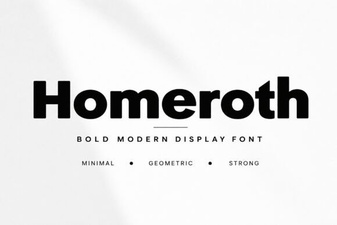 Design Creative Projects with Homeroth Font
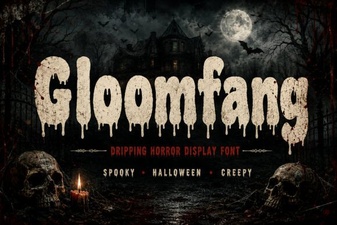 Gloomfang: Design with Gothic Horror Typography
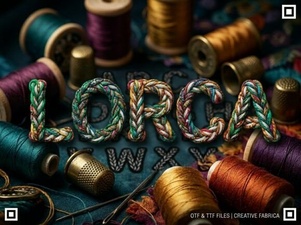 Lorca Font: Creative Projects & Modern Designs
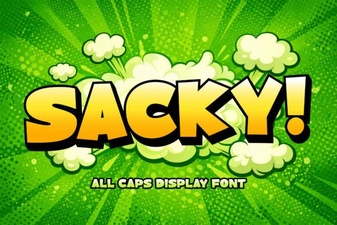 Sacky Font: a Playful Tool for Creative Design
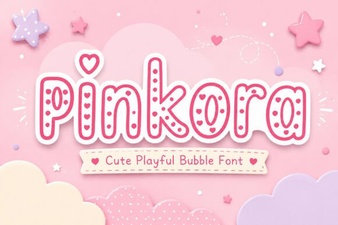 Pinkora Font: Creative Typeface Projects & Design Tips
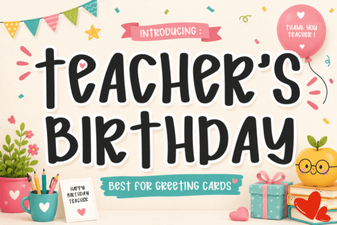 Creative Fonts for Teacher Birthday Projects