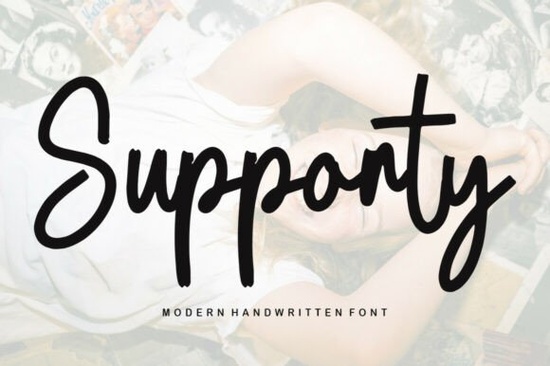
Finding a script typeface that balances style and readability is often the hardest part of a design project. You need something that feels handmade but still works for professional use. The Supporty Font is a gorgeous script font designed to handle this balance. It brings a trendy and stylish look to various creative tasks without sacrificing clarity. For crafters and small business owners, having a reliable typeface like this can save time during the creation process.
Why is PUA encoding important for designers?
One of the best features included here is PUA encoding. This technical detail matters more than you might think. When a font is PUA encoded, you can access all of the glyphs and swashes with ease. You do not need special software or complex key combinations to find the extra characters. This means you can add flourishes to letters directly from your font menu. For someone working on a tight deadline, this simplicity helps keep the workflow smooth. It removes the frustration of hunting for alternate characters in separate files.
Many designers struggle with standard fonts that lack these extras. Without PUA encoding, you might need to copy and paste symbols from a separate document. That process slows down production. With this tool, everything is built into the typeface itself. You simply select the character you want from the glyph panel. This feature is especially helpful for those who are new to typography. It lowers the barrier to entry for creating professional-looking logos and headers.
What projects work best with this style?
This typeface shines in situations where a personal touch is needed. It is suitable for print-on-demand sellers creating text-based apparel. The strokes are thick enough to remain visible on fabric but detailed enough to look elegant. Wedding invitation designers often look for this specific look. It pairs well with simpler sans-serif fonts for a modern contrast. Social media managers can use it for quote graphics that need to stop the scroll.
If you run a small bakery or boutique, using this on your packaging adds a custom feel. It helps brand materials look less generic and more thoughtful. Product labels also benefit from this handwriting style. It suggests that care was put into the item. Digital planners and stickers are another great use case. The scalable vector nature of the font ensures it looks crisp on any screen size. You can resize it for a business card or a billboard without losing quality.
Are there other script options to explore?
Sometimes you need a different vibe for a specific client. If you want something darker or more gothic, you might look at styles similar to Black Magic. For projects needing a warmer, summer feeling, options like Heatwave could fit the theme better. There are also softer choices available. If you need a cozier texture, checking out Snuggly might give you the right atmosphere.
For more decorative needs, consider Pearl Diamond which adds extra flair. Traditionalists might prefer the structure found in Calligraphy Capital for a classic touch. Having a library of these different styles ensures you always have the right tool for the job. Mixing and matching these fonts can help you create unique brand identities. It prevents your portfolio from looking repetitive. Clients appreciate when you offer varied visual solutions.
How do you install and use the files?
Installation is straightforward on most operating systems. After downloading the zip file, extract the contents to find the font files. On Windows, you can right-click and select install. Mac users can double-click the file and use the font book. Once installed, restart your design software. Remember to check the character map to see the included swashes. Testing different letter combinations helps you find the best ligatures.
Always save a copy of your original download in a backup folder. This protects you if you need to reinstall later. Cloud storage is a good option for keeping these files safe. If you switch computers frequently, having a dedicated font drive helps. Organize your files by style or client name. This makes retrieval much faster when you are in the middle of a project. Proper file management is key to running an efficient design business.
What should you check before commercial use?
Always read the license file included in the download. Most creative assets allow use on physical end products for sale. This covers items like mugs, shirts, and printed cards. Digital resale is usually restricted. You cannot share the font file itself with others. If you are unsure about a specific use case, contact the creator directly. Keeping track of your licenses helps avoid legal issues down the road. Organize your receipts in a dedicated folder on your computer.
Some licenses require attribution while others do not. Check the terms carefully before publishing your work. If you are using the font for a client, ensure their usage is covered. You may need to purchase an extended license for large production runs. Understanding these rules protects your business reputation. It also respects the work of the typeface creator. Ethical usage ensures that designers continue to make great tools for everyone.
Quick Start Checklist
- Download and extract the font files to a known folder.
- Install the font on your computer and restart design software.
- Open the glyph panel to view available swashes and alternates.
- Test the font on a sample project to check readability.
- Review the license terms for commercial usage rights.
- Backup the original files in cloud storage or an external drive.
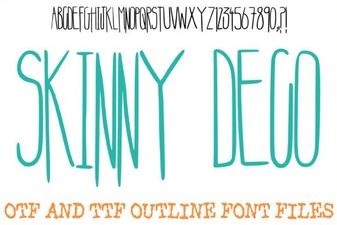 Skinny Deco Font for Modern, Minimalist Projects
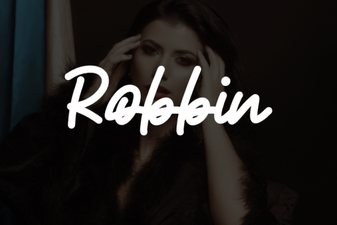 Robbin Font: Creative Projects and Design Tips
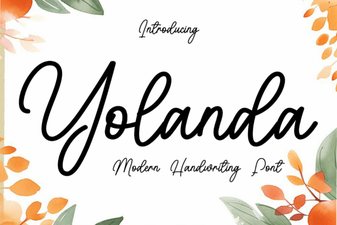 Yolanda Font: Creative Projects & Design Ideas
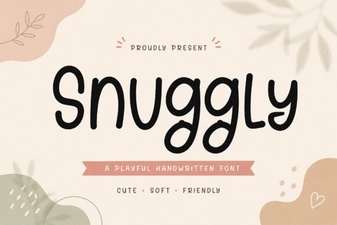 Snuggly Font: Warm & Friendly Typography Guide
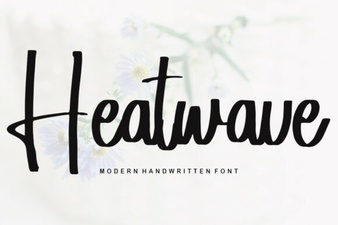 Heatwave Font: Creative Design Tips & Project Ideas
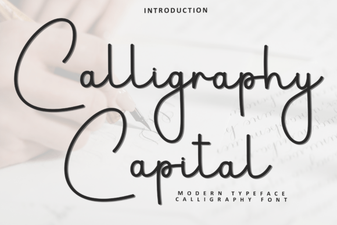 Creative Capital Letters: a Calligraphy Font Guide